 EasyLife
Todo List Features That Actually Help You Stay Organized
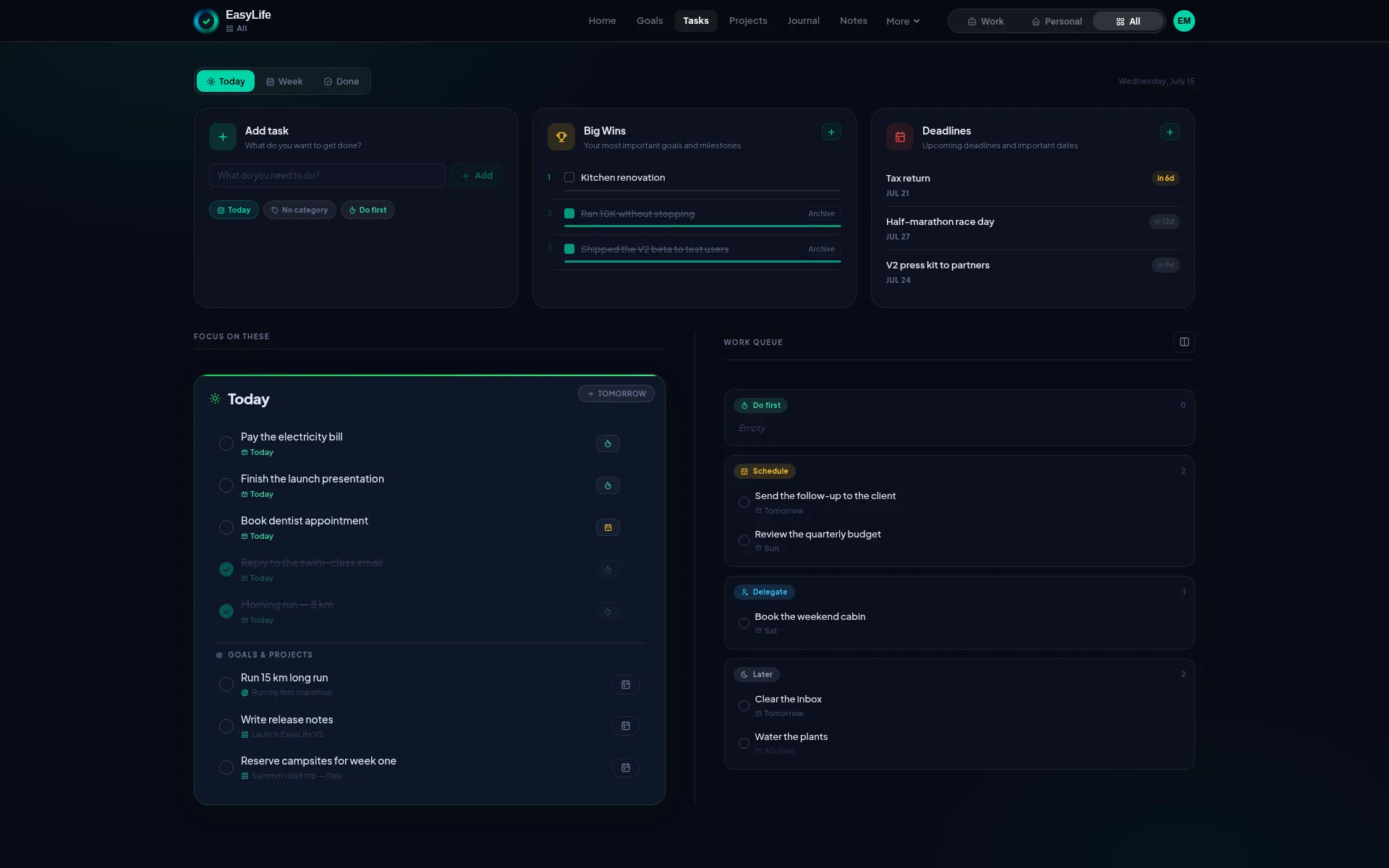
How EasyLife.ai turns everyday chaos into a clear, structured system
Trouble getting organized and keeping track of everything?
If your todo list keeps growing, but your sense of control keeps shrinking, you're not alone.
Most people don't struggle because they lack discipline. They struggle because their tasks live in too many places, without structure, priority, or context.
Notes in one app. Tasks in another. Goals somewhere else. The result is constant mental overhead — and important things slipping through the cracks.
EasyLife.ai was built to solve this exact problem: one calm, structured system for tasks, projects, and focus — without overwhelm.
What being unorganized really costs you
Disorganization isn't just inconvenient — it has real consequences.
Research consistently links poor task organization to:
- Lower productivity
- Higher stress and mental fatigue
- More missed deadlines
- Constant context switching
Your brain is not designed to remember everything. It's designed to work on what's in front of you.
A good todo system reduces cognitive load by:
- Making priorities visible
- Turning vague intentions into concrete actions
- Freeing up mental space for focus and creativity
Most task tools stop at "lists". EasyLife.ai goes further — by helping you think in systems, not fragments.
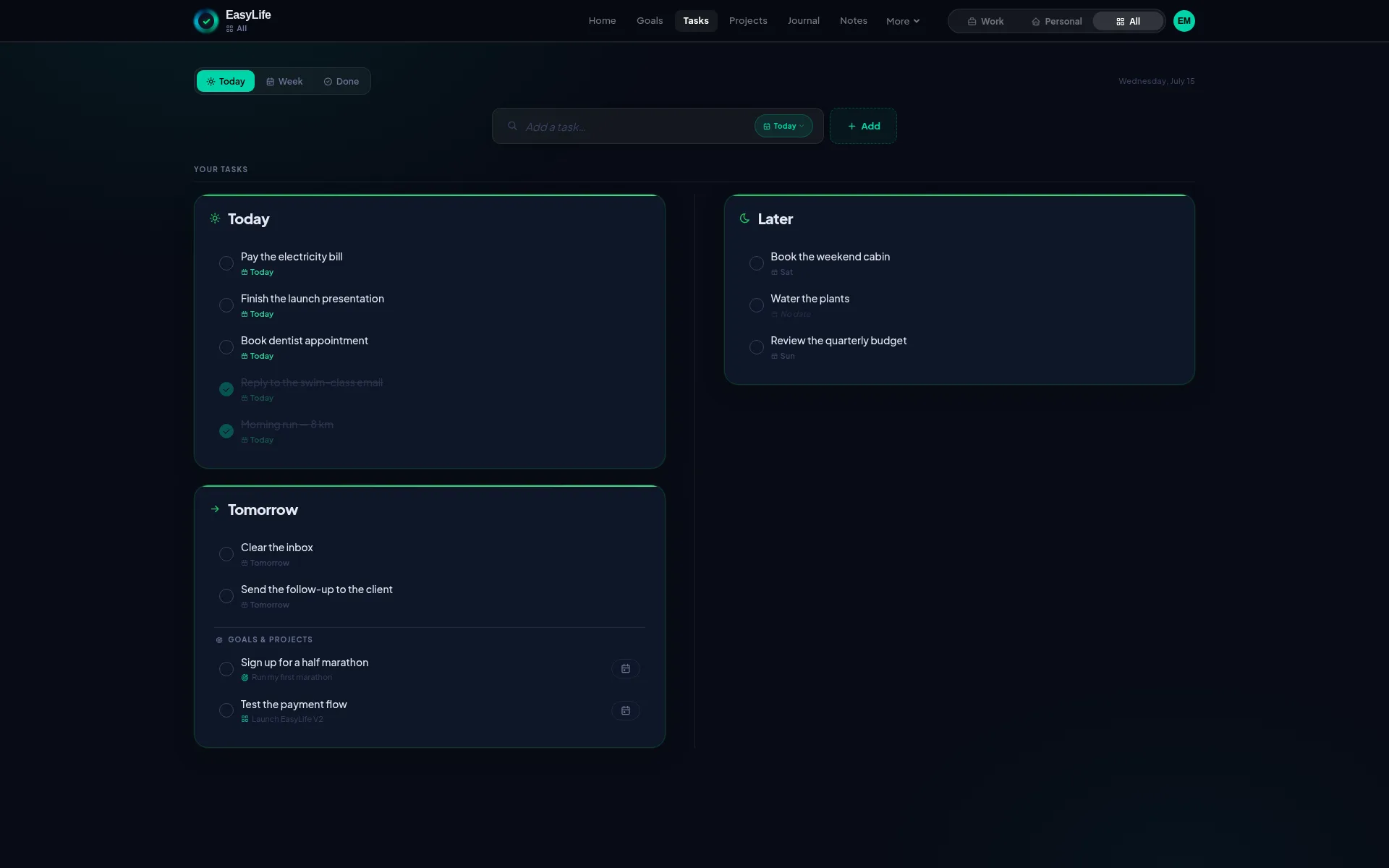
Work and personal life — together, but never mixed
One of the biggest hidden stress factors in modern productivity tools is context leakage.
When work tasks, personal reminders, long-term goals, and random notes all live in the same stream, your brain is forced to constantly filter what matters right now. That friction adds up fast.
EasyLife.ai solves this with a global context filter.
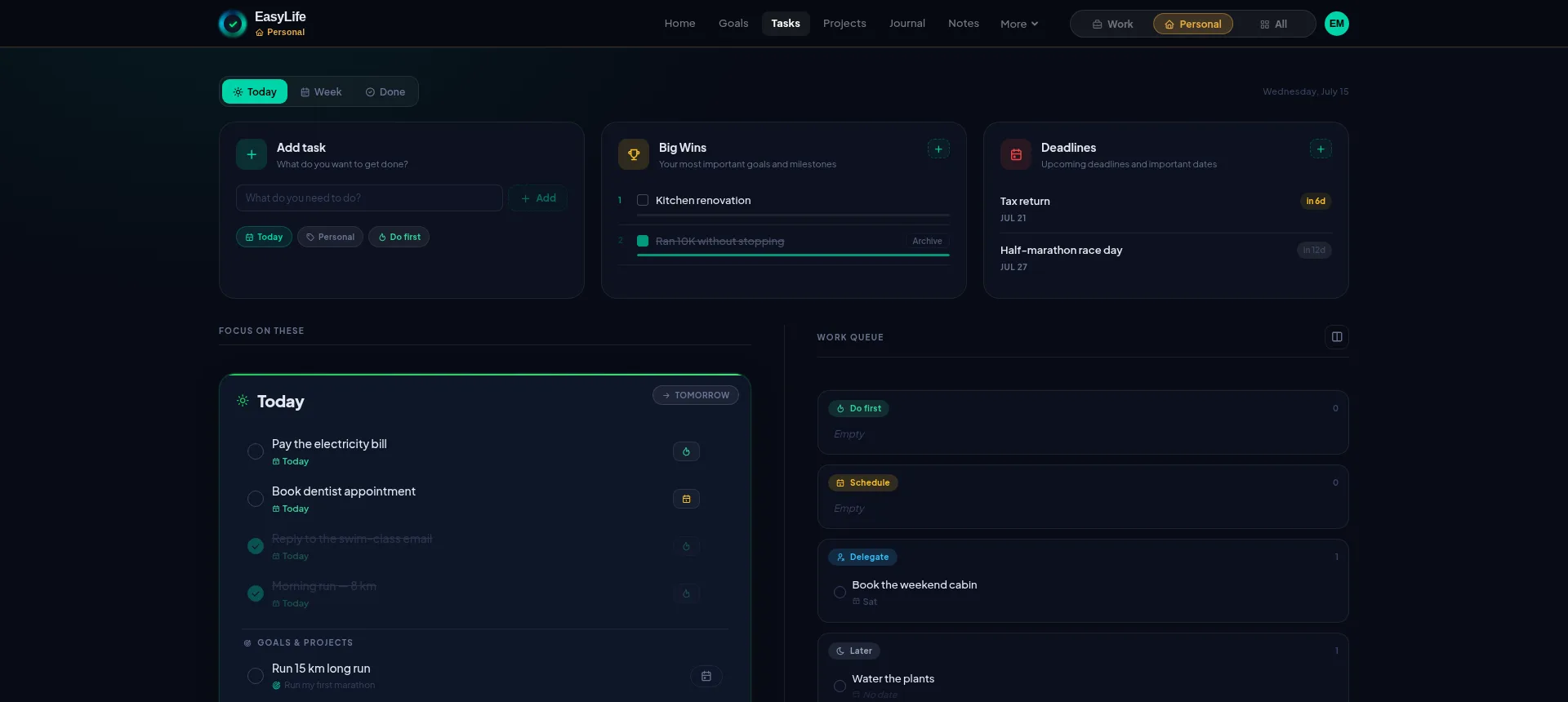
On every page — tasks, notes, goals, and projects — you'll find a simple filter that lets you switch between:
- Work
- Personal
- All
Once selected, the filter is remembered across the entire system.
If you choose Work, you can move seamlessly from notes to tasks to goals — and only work-related content appears. The same applies to Personal. No re-filtering. No mental cleanup.
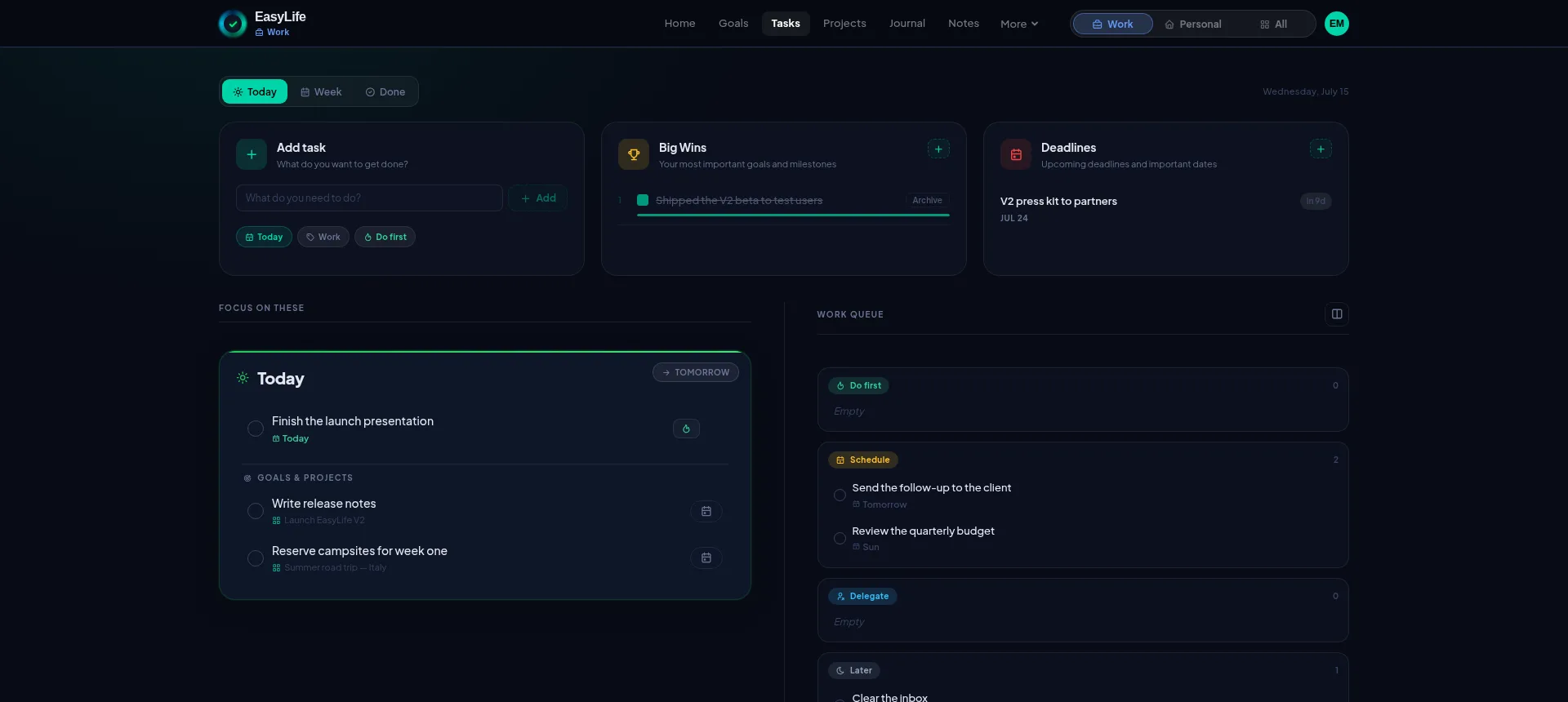
This might sound simple, but it's a surprisingly hard problem to solve well — and very few productivity tools have done it in an elegant way.
Most software either:
- Mixes everything together
- Or forces you into separate apps, accounts, or workspaces
EasyLife.ai keeps one unified system, while still respecting the psychological boundary between work and personal life.
That separation matters.
Clear boundaries:
- Reduce cognitive load
- Improve focus
- Minimize context switching
- Help you disconnect when you're done working
You stay organized across your whole life — without dragging work stress into your personal time, or personal distractions into your workday.
Three views — one consistent system
Different days require different levels of structure. EasyLife.ai adapts to how you work.
Simple view
For quick capture and lightweight planning.
Pro view
For structured workflows, priorities, and projects.
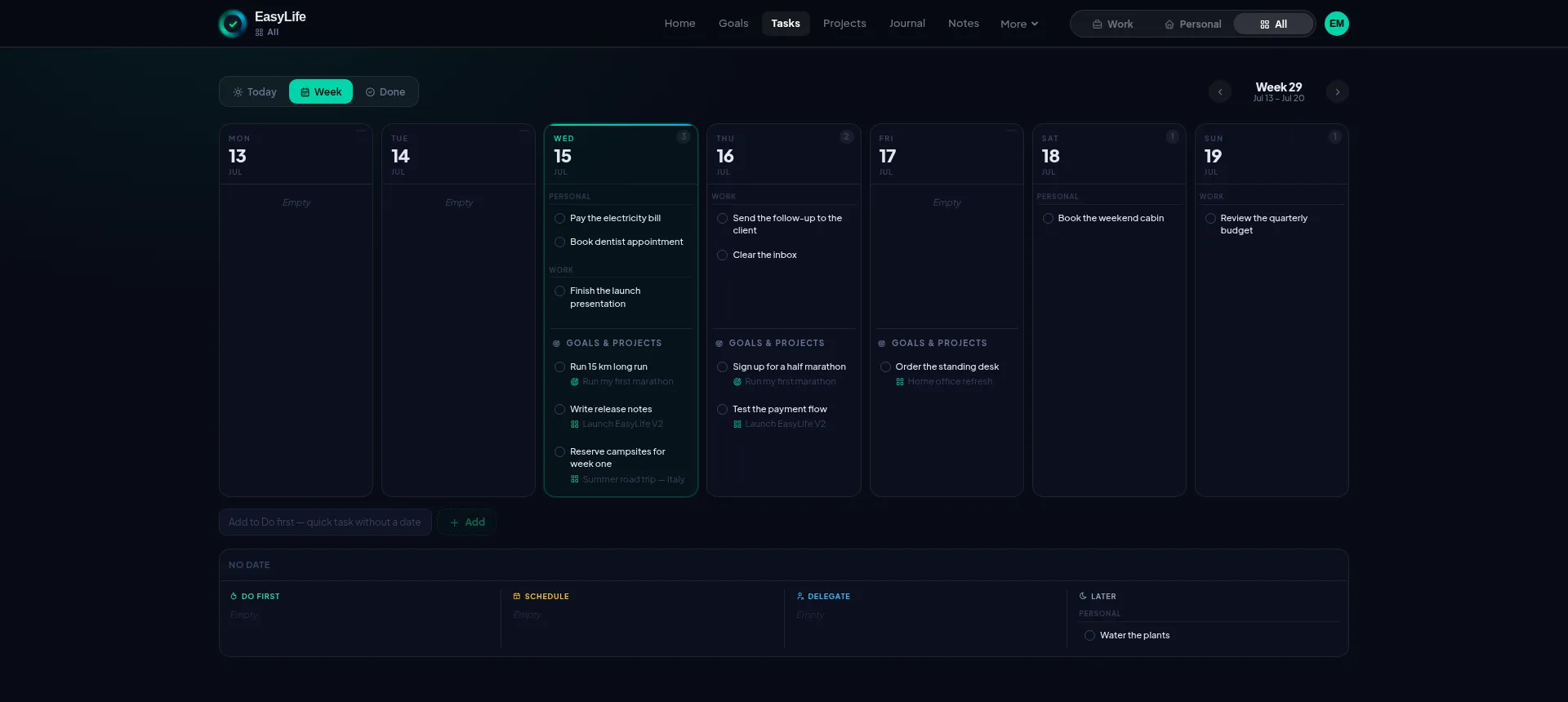
Week view
For seeing your workload across days and planning realistically.
Across all views, each task supports:
- Fast due date setting
- Notes and context
- One-click conversion to a calendar event (including Microsoft Teams)
- Drag-and-drop reordering
Completed tasks don't disappear. They are automatically:
- Stored in a logbook
- Counted toward your progress dashboard
You don't just check things off — you build visible momentum.
Focus on what matters — without rewriting your list
Not every task deserves attention right now.
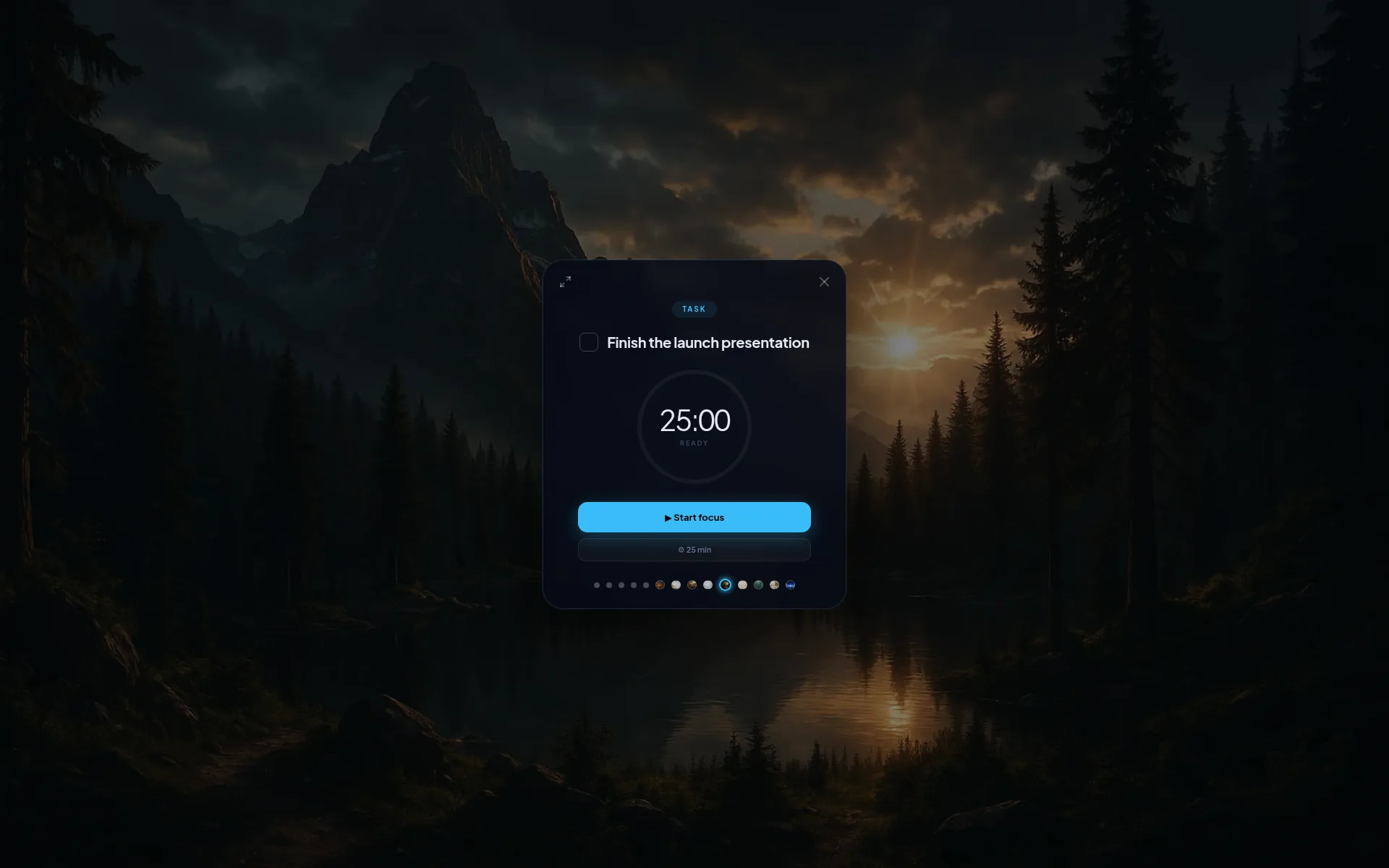
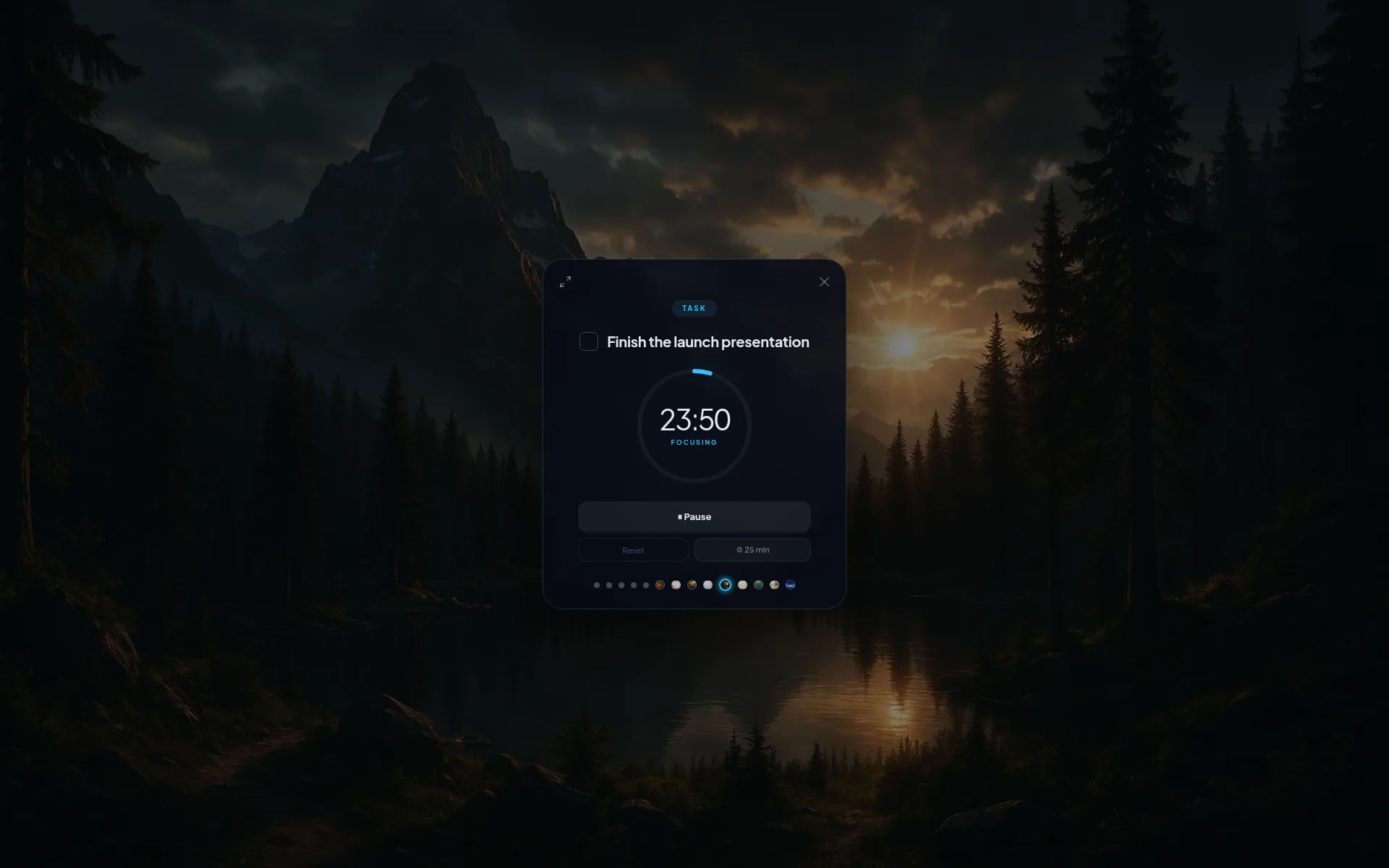
With Add to Focus, you can:
- Temporarily highlight the tasks that matter today
- Work in a focused mode without distractions
- Keep your main list intact
Nothing is duplicated. Nothing is lost.
Your attention stays where it should be — on execution.
Projects that think ahead with you
Projects are where many todo apps break down.
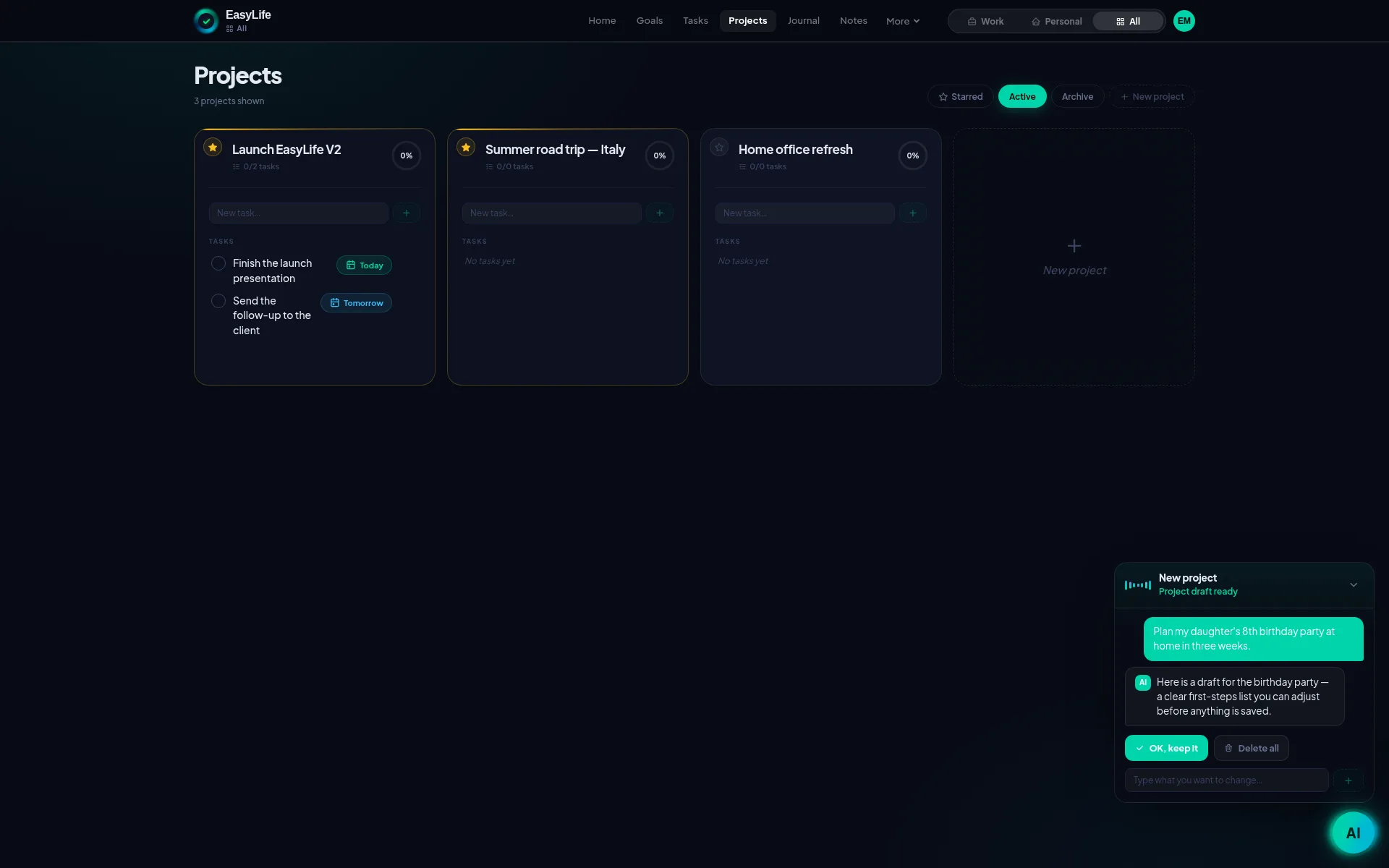
EasyLife.ai treats projects as living systems:
- AI-generated task lists based on your goal
- Sticky notes for ideas and thinking
- Clear deadlines
- Links, categories, and structure
Instead of starting with a blank page, you start with a usable plan — and refine it as you go.
A todo list built for real life
EasyLife.ai isn't about doing more. It's about doing the right things, with less stress.
If you want:
- One system instead of many tools
- Clear separation between work and personal life
- Tasks that support focus instead of creating noise
Then EasyLife.ai is built for you.